Open Road
Road Trip Journal App: Keep the Route Behind the Photos
Use Open Road for the driving record behind a road-trip journal: saved routes, dates, time and distance. Keep written memories and photos in your preferred journal alongside it. Open Road is a driving log, so do not assume it includes a full photo-journal editor.


Free to download. Open Road Pro is optional, with a 3-day trial on the yearly plan.
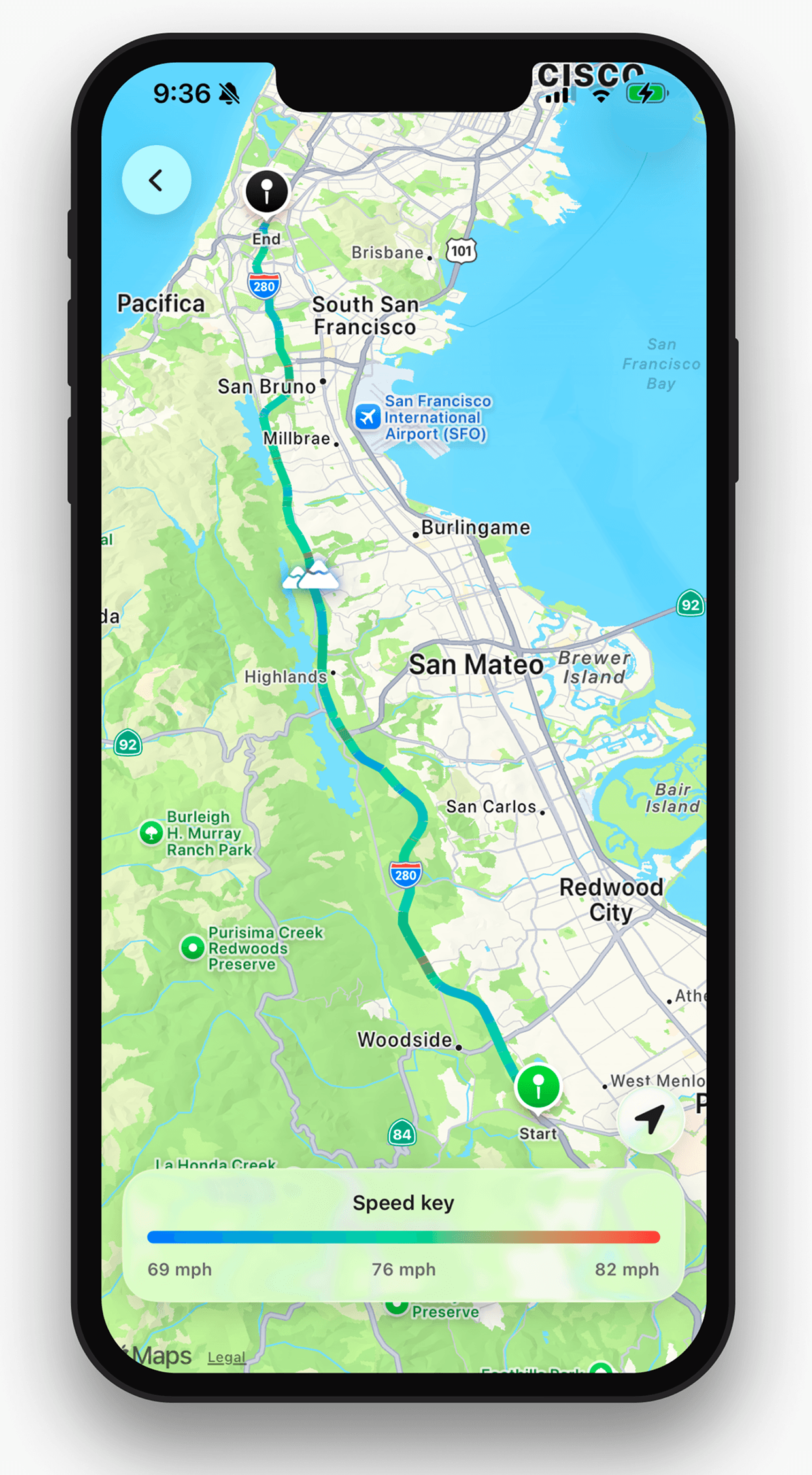
Give each day a route and a date
Photos preserve the stop; a recorded drive preserves the line between stops. A useful road-trip journal pairs the date, places visited and a few notes with the route actually taken. That is different from saving an itinerary you planned before leaving.
Set up drive recording first. At the end of each day, check the saved journey and note which photos belong to it. Splitting the task this way keeps a driving record without inventing photo-upload or diary features in the tracker.
A small journal template
For each day, keep the date, start and finish, favourite stop and one thing you would do differently. Add the recorded distance and time if useful. Leave space for a detour, since that is often what makes the day memorable.
If no app recorded a section, say the route is approximate. A planned route calculated later can help you remember, but it is not the same evidence as the recorded drive.
Find the trip again later
Use Open Road history to locate the drive by date. Use the roads map to see how the journey fits your wider travels. Keep any written notes and original photos somewhere you already manage them; this guide does not promise automatic photo matching or a packaged journal export.
About this guide
Published by Open Road. Updated 2026-11-03. App screens show example recorded drives.
All driving guides and free toolsQuestions, answered
- Is Open Road a road-trip diary editor?
- It is a drive tracker with saved routes and stats. Pair it with your preferred photo or notes app for a written journal.
- What should I put in a road-trip journal?
- Keep the date, route, stops and a short personal note. Recorded time and distance can help you connect the drive with your photos.
- Can I add a route after a trip I did not record?
- You can reconstruct a route in a planner or journal, but label it approximate. This guide does not promise Open Road can recover an unrecorded drive.
Keep your next drive
Get Open Road for iPhone or Android. Free to download, with optional Pro. The yearly Pro plan has a 3-day trial.